Selected workWeb apps we’ve shipped.

What we build · capabilities & examples

Features we’ve shipped — with real examples

Each capability below is in production today across one or more of our own apps (XFoldTrack, XFoldWarehouse, XFold admin) and client builds (ZenCan). Hover any thumbnail for a larger preview, or click to open it full-size — the caption tells you exactly which product the screenshot is from.

  1. 01 · Feature

    Inventory & asset tracking

    Track every item, tool, vehicle, or piece of stock with quantity, location, and full history. Designed for warehouse floors, moving crews, and back-office accounting alike — multi-tenant from day one.

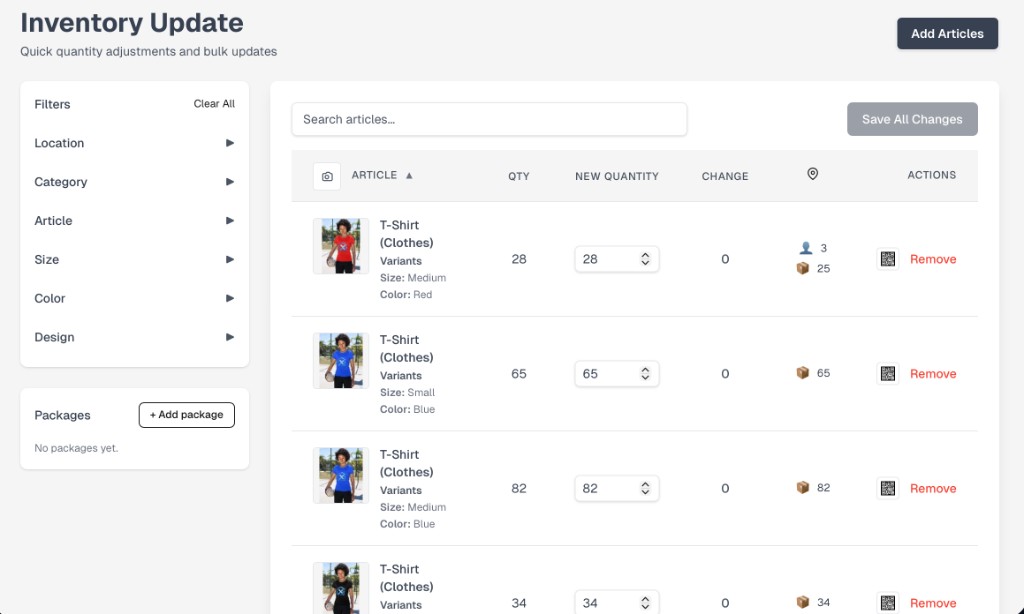
    • Bulk quantity edits with side-by-side current vs. new values.
    • Faceted filters (location, category, article, size, color, design) and saved packages.
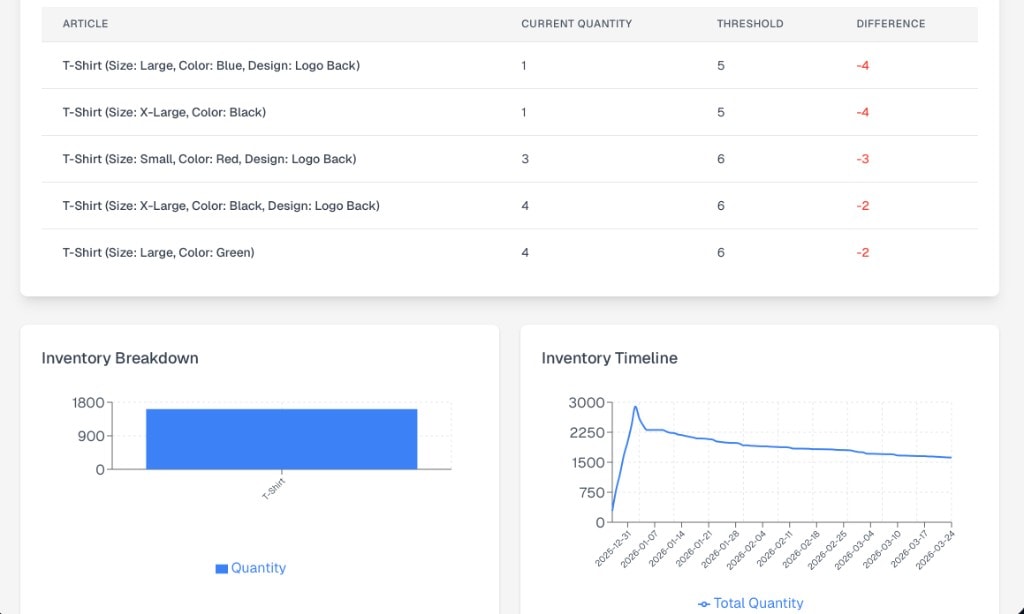
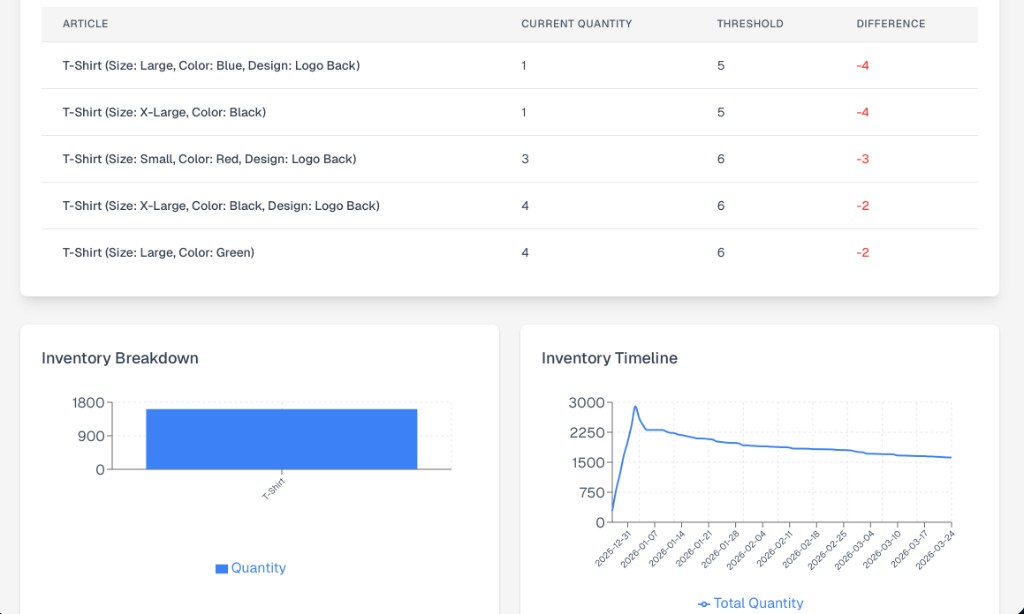
    • Per-article low-stock thresholds with email and in-app alerts.

    Live in 2 products
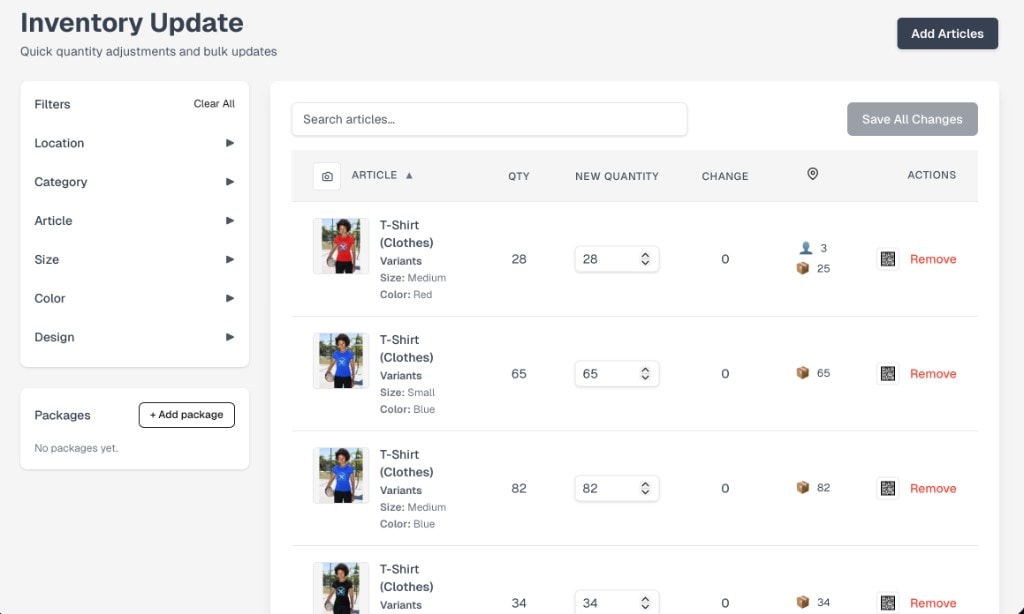
    • Inventory update screen with filters and per-article quantity controls
      XFoldWarehouseBulk quantity adjustment
    • Low-stock report with article thresholds and inventory timeline chart
      XFoldWarehouseLow-stock thresholds & timeline
  2. 02 · Feature

    QR codes & tracked short-links

    Tracked, downloadable QR codes for any article, location, or sale — with quantity, price, expiration, and active/inactive controls. The same engine powers customer-facing short links for marketing campaigns.

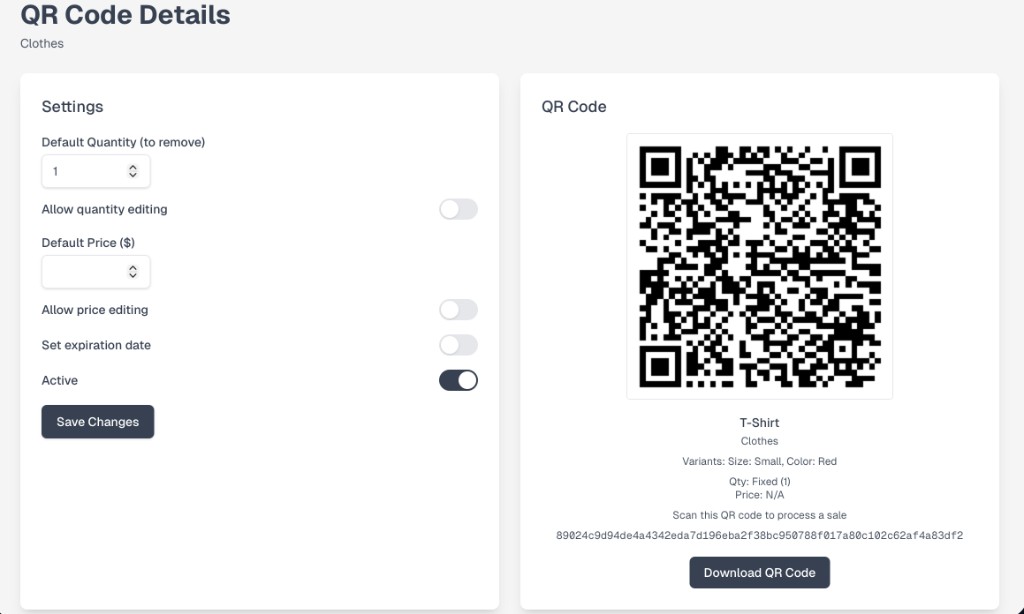
    • Per-code settings: default quantity, default price, allow editing on scan, expiration.
    • High-resolution download for print, badges, and labels.
    • Scan history and conversion tracking baked in.

    Live in 1 product

    • QR code editor with settings panel and downloadable QR preview
      XFoldWarehouseQR code editor & download
  3. 03 · Feature

    Reporting & analytics

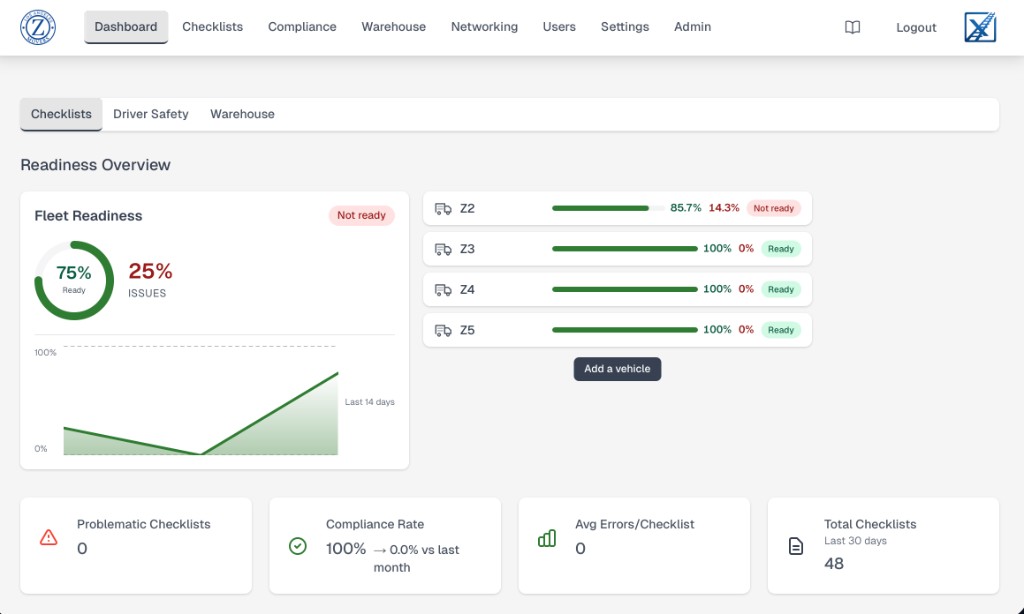
    Live, role-aware dashboards combining the operational KPIs that matter to each team — fleet readiness, compliance rates, checklist trends, inventory timelines. Charts are built once and reused across products.

    • Multi-tab dashboards (Checklists / Driver Safety / Warehouse) with cross-tab navigation.
    • Per-vehicle readiness bars, problem-checklist counters, and 30-day rollups.
    • Configurable widgets and exportable underlying data.

    Live in 1 product

    • Fleet readiness dashboard with per-vehicle progress and compliance tiles
      XFoldTrackFleet readiness dashboard
  4. 04 · Feature

    No-code checklists & forms

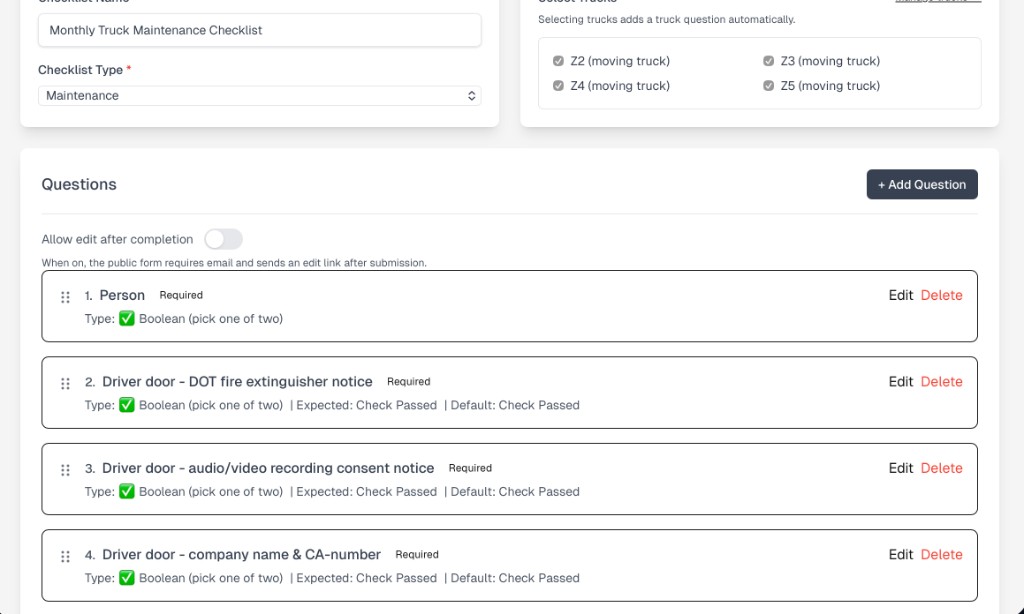
    Build per-vehicle, per-job, or per-customer checklists in the admin UI — no developer needed. Required, expected, and default answers, conditional logic, drag-to-reorder, and one-click public-form publishing.

    • Question types from yes/no to long-form, photo upload, and signature.
    • Optional resubmission flow with email-link verification.
    • Versioned questions so historical submissions stay intact.

    Live in 1 product

    • Checklist backend with question editor for a monthly truck maintenance checklist
      XFoldTrackQuestion editor
  5. 05 · Feature

    Compliance documents & e-signatures

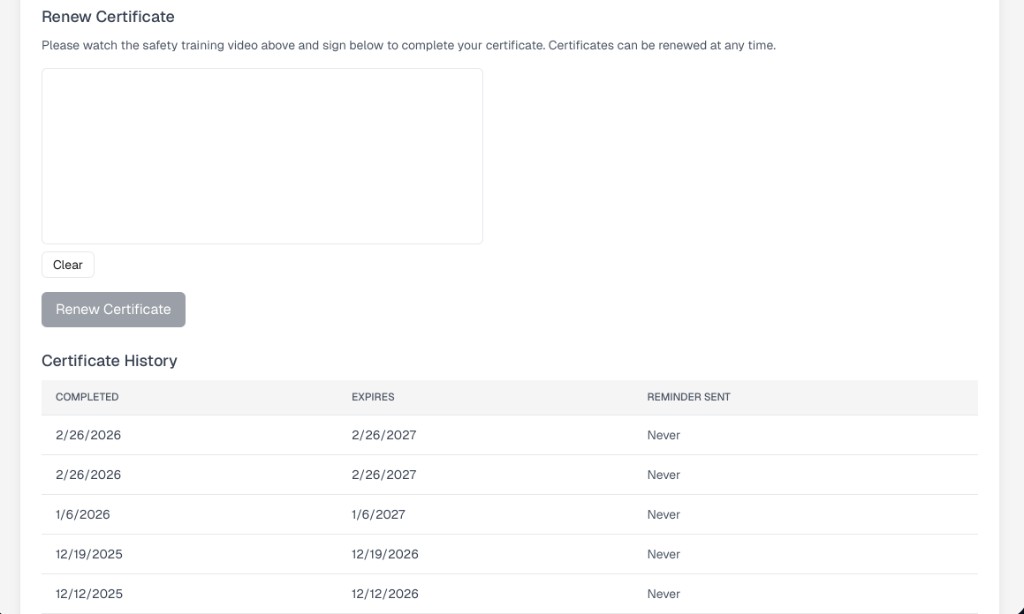
    Trainings, certificates, expirations, and renewal history — captured in-browser with a signature pad, time-stamped, and audit-ready. Automatically reminds users when a certificate is about to expire.

    • Embedded video training paired with signature capture.
    • Full certificate history with completion and expiration dates.
    • Server-driven reminder emails before expiration.

    Live in 1 product

    • Certificate renewal screen with signature pad and historical certificate table
      XFoldTrackRenew certificate with signature
  6. 06 · Feature

    Lightweight CRM & outreach

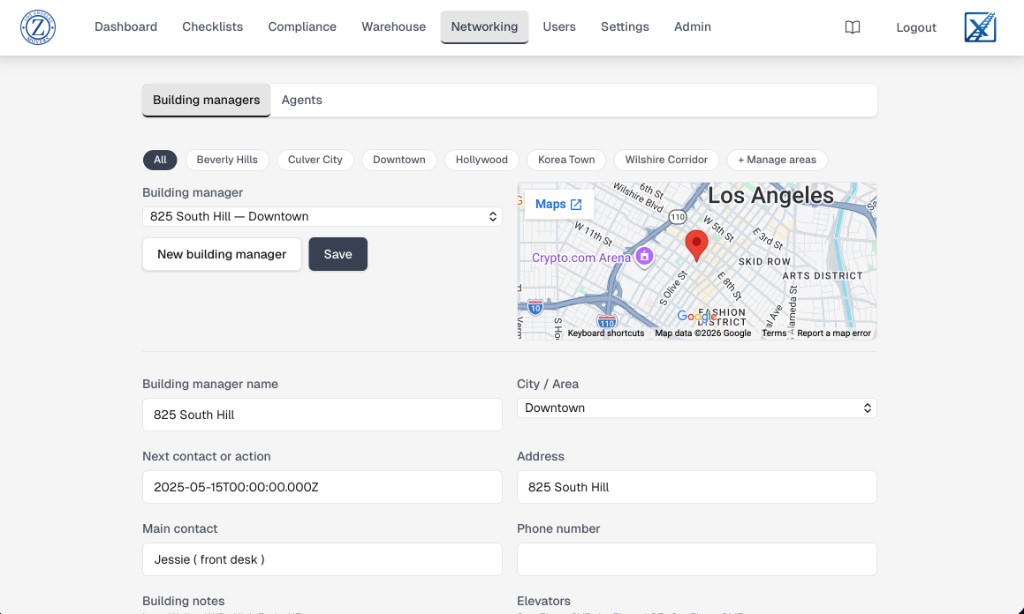
    Contact management for outreach teams that doesn't require a Salesforce contract: building managers, agents, next-action reminders, address-resolved maps, and per-contact notes.

    • City/area filters and tabbed views by contact type.
    • Inline Google Maps preview from the saved address.
    • Next-action dates surface in a daily reminder list.

    Live in 1 product

    • Networking screen with building managers list, embedded map, and contact details
      XFold adminBuilding manager profile
  7. 07 · Feature

    Payment integration & subscriptions

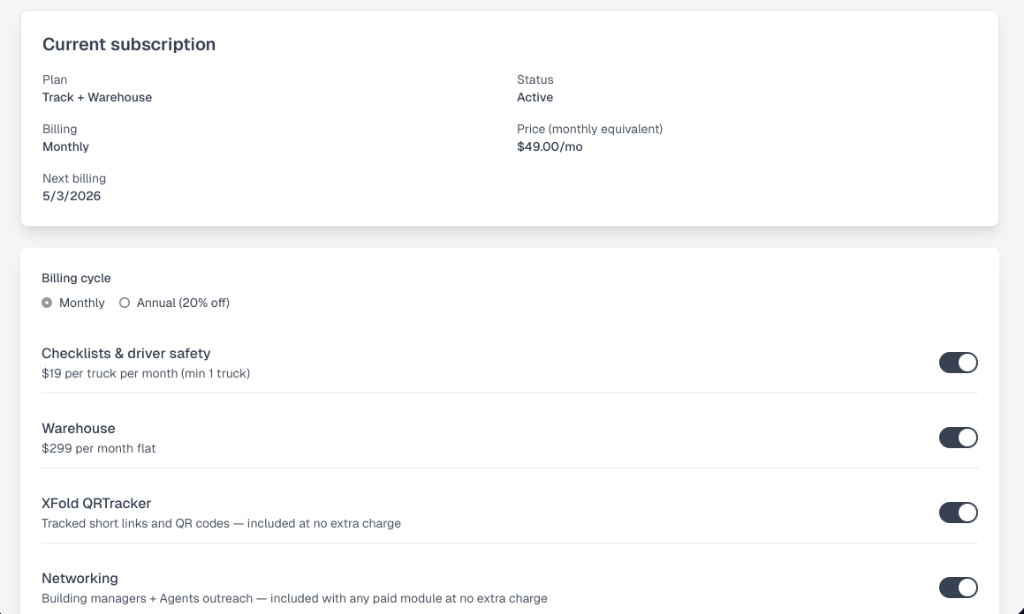
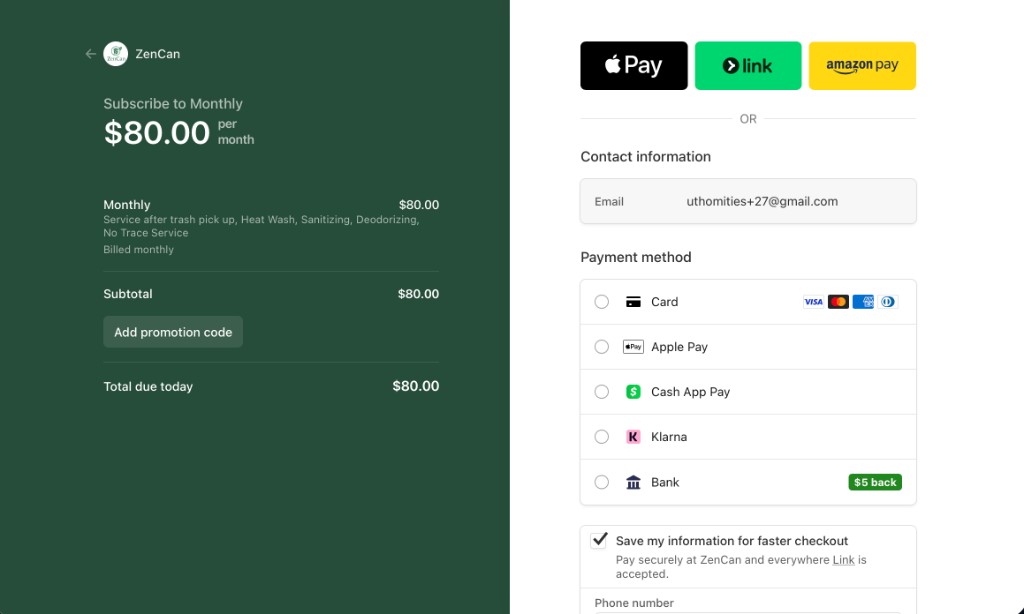
    Stripe-powered checkout with Apple Pay, Google Pay, Link, Klarna, Cash App, and bank fallbacks. Self-serve module toggles, billing-cycle switches, prorations, and a full subscription lifecycle — both customer-facing and admin-side.

    • Tiered plans with per-module add-ons and annual/monthly toggle.
    • Stripe Checkout, Customer Portal, and webhook-driven entitlements.
    • Idempotent provisioning so failed payments never leave a stuck account.

    Live in 2 products

    • Customer-facing subscription management screen with module toggles and billing cycle
      XFold adminSelf-serve module & billing
    • Hosted Stripe checkout with Apple Pay, Link, Amazon Pay and saved payment methods
      ZenCanHosted Stripe checkout